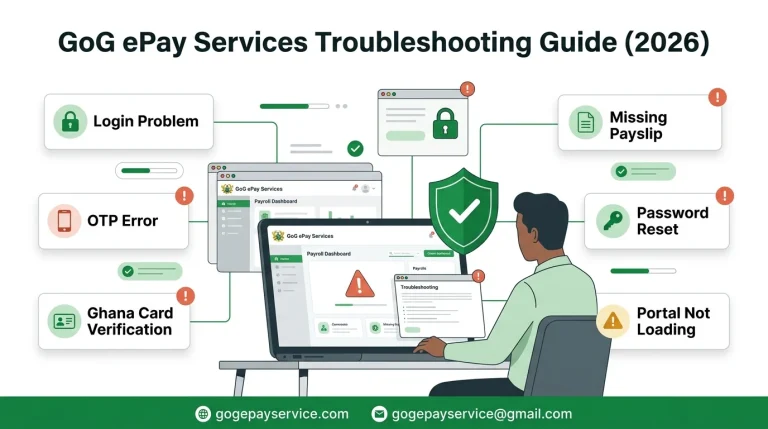
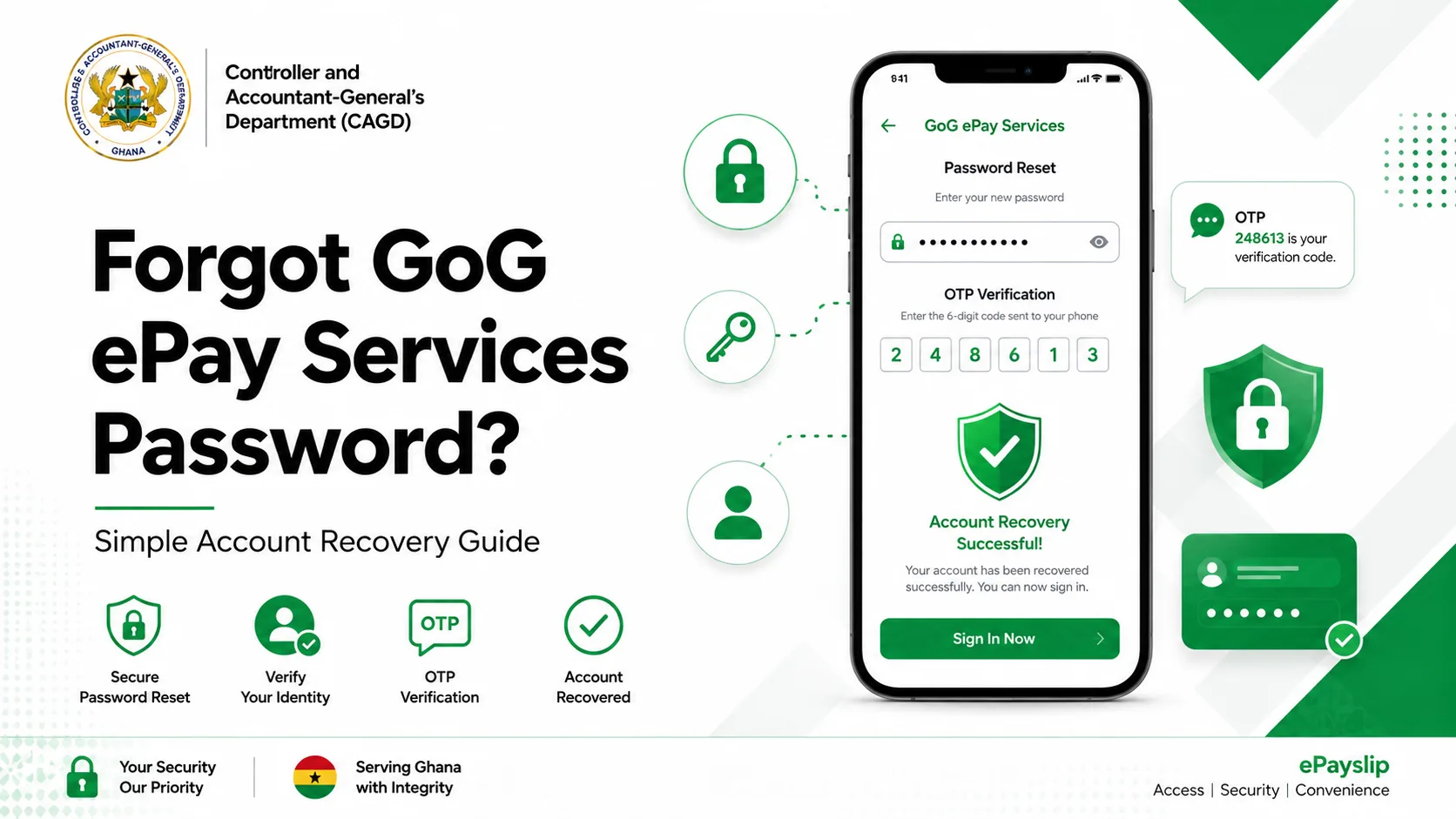
Reset Password of GoG ePay Services Account in 2026
Forgot your GoG ePay Services login password and cannot sign in to your ePayslip account? This is a common problem for many government workers in Ghana. Employees forget their epayslip account password or their account gets locked. The good news is that you can reset your password easily in a few steps. Here you will learn how to reset your password quickly and easily.
Why Reset Your GoG ePay Services Password
There are many reasons why users reset their GoG ePay Services password. Sometimes the issue is small, while other times the account is locked for security reasons.
Below are common reasons why you may need to reset your password:
Keeping your account secure is very important because your salary information is private.
What you required to Reset Password
Before you begin the password reset process, make sure you have the correct information ready.
You will need the following:
This will help you to change your password properly.
How to Reset GoG ePay Services Password
Below are the simple steps to reset your GoG ePay Services password successfully. Follow every step carefully to avoid errors during the process.
Step 1: Visit the Official GoG ePay Services Portal
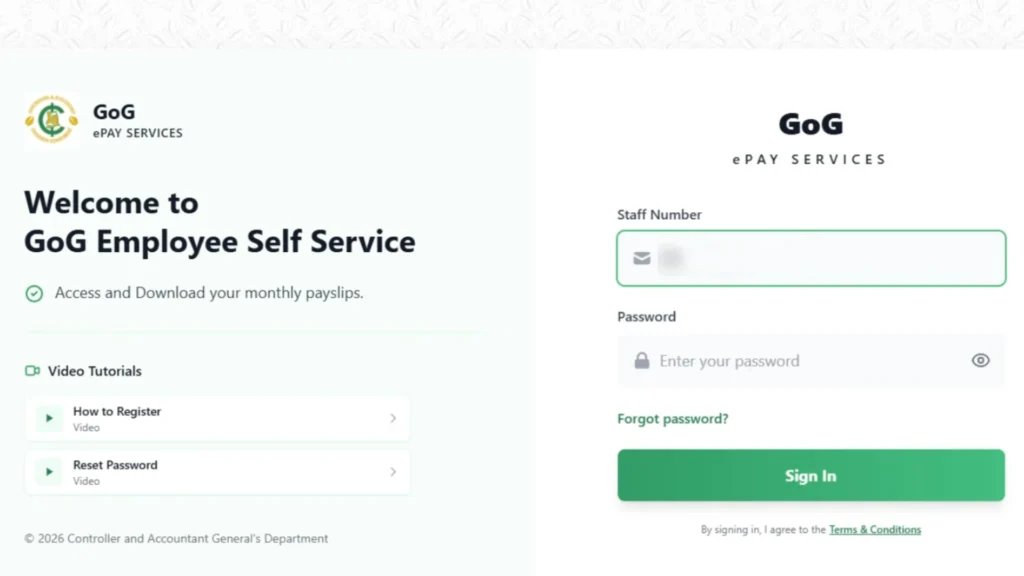
Open your internet browser and visit the official GoG ePay Services website. When the website opens, you will see the login page.
On the login page, you will find:
Step 2: Click on “Forgot Password”
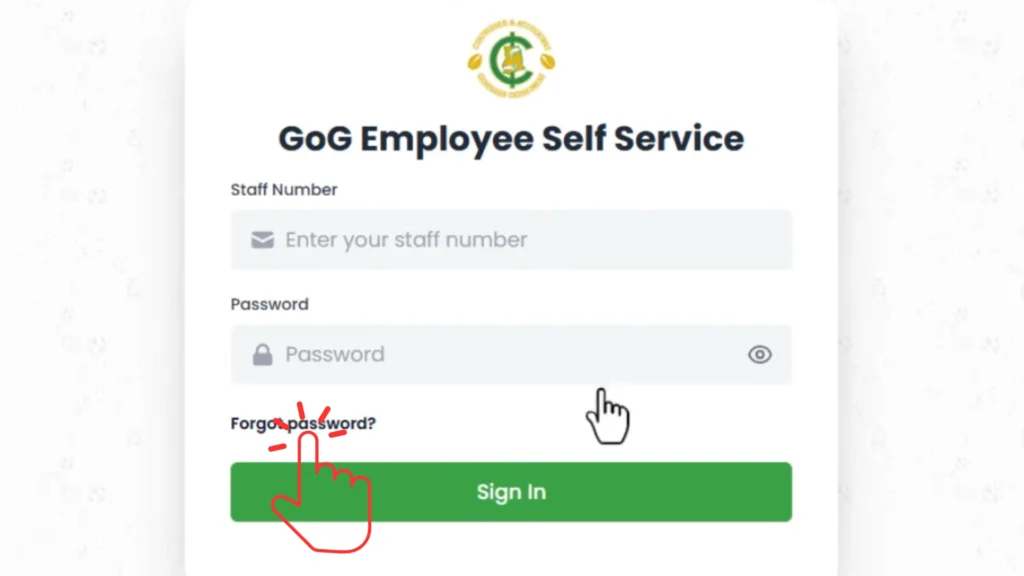
Under the login button, you will see the “Forgot Password” option. Click on it to continue. The system will redirect you to the password reset page.
Step 3: Enter Your Employee Number
You will now see a box asking for your employee number. Enter the correct employee number which is allocated to you by CAGD and connected to your account.
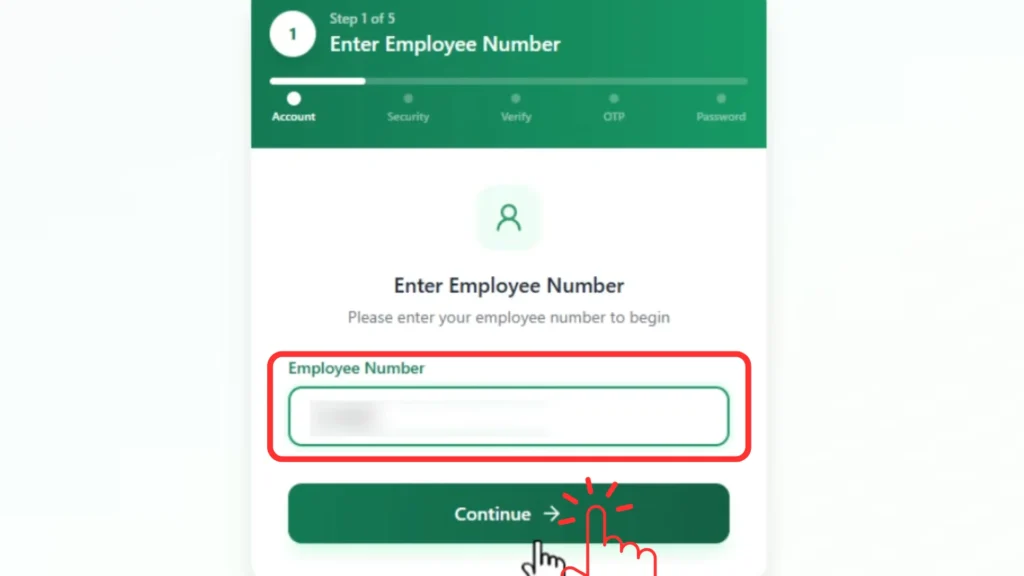
If the employee number is incorrect, the system may not find your account. After entering the employee number, click on the Continue button.
Step 4: Answer Your Security Question
The system will now display your security question. This question was selected when you first registered for the ePayslip account.
Examples of security questions may include:
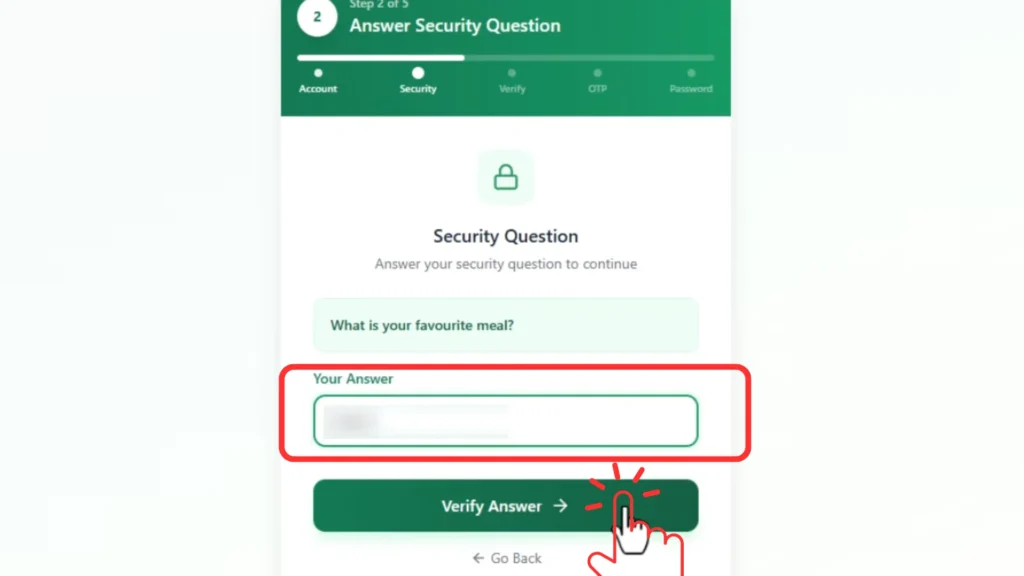
Enter the correct answer exactly as you saved it during registration. If your answer is wrong, the system may block the password reset process for security reasons.
Step 5: Enter Your Registered Phone Number
Next, you will be asked to provide your registered mobile number. This should be the same number linked to your GoG ePay Services account. The phone number is used for verification purposes.
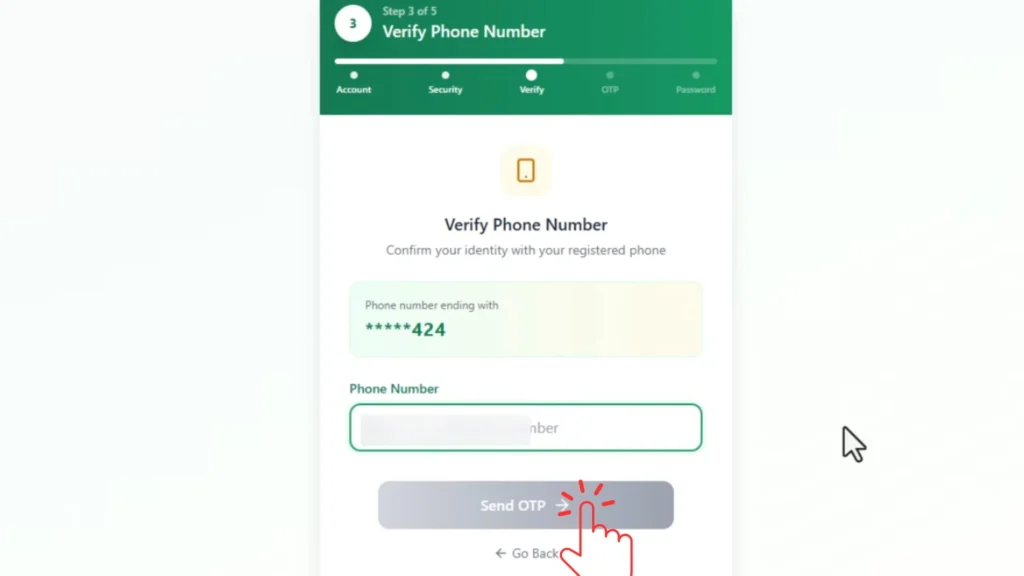
Click on “Send OTP” after entering the number.
Step 6: Receive and Enter OTP Code
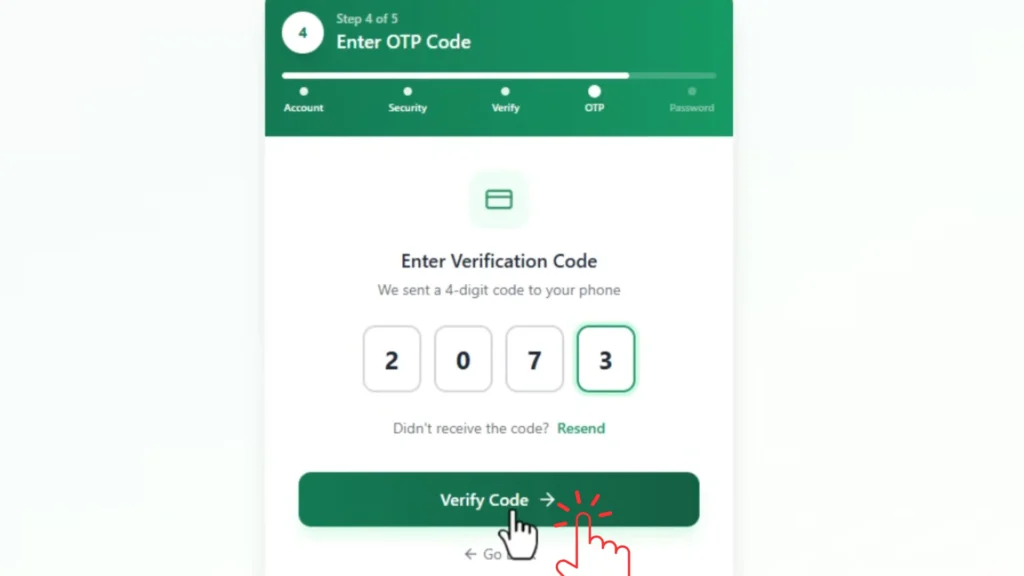
The system will now send an OTP code to your mobile phone. OTP means One-Time Password. Check your SMS inbox for the code.
Example of 4-digit OTP:
4589
Enter the OTP code into the verification box on the website. Sometimes the OTP message may take a few minutes before arriving.
Step 8: Create a New Password
You will now see two boxes:
Create your new strong password carefully. A strong password should include:
Example:
Ghana@2026Pay
After entering the new password, type the same password again in the Confirm Password section.
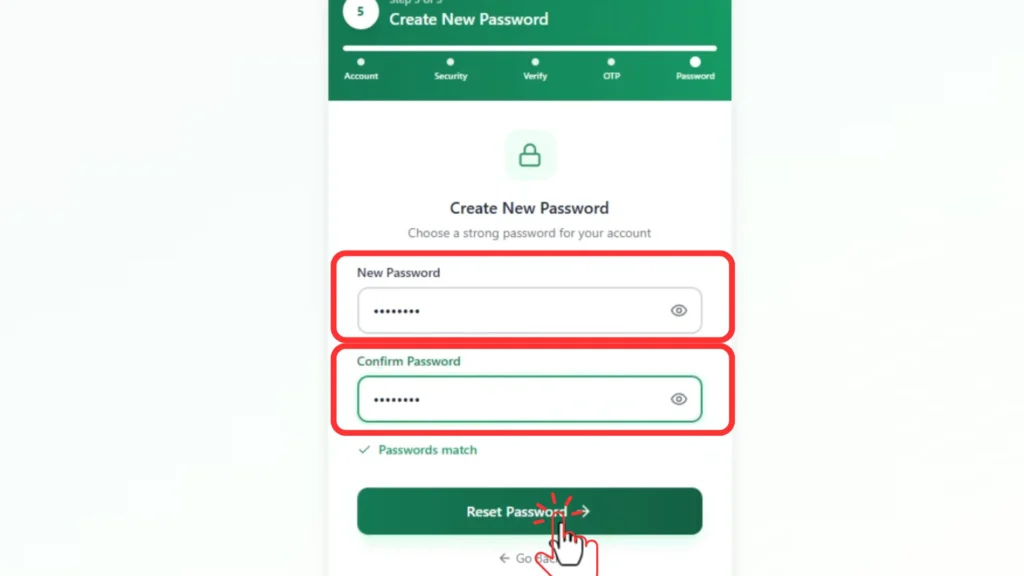
Click on the “Reset Password” button.
Step 9: Click “Continue to Login” Button
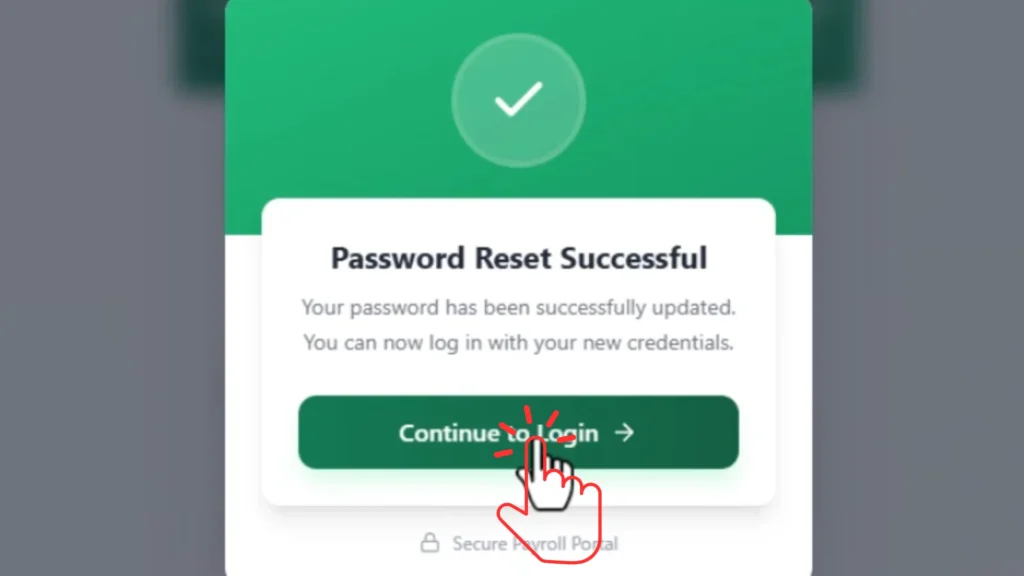
After resetting the password successfully, the system will display a confirmation message.
Example: “Password reset successful” This means your password has been updated successfully. You will now see the “Continue to Login” button. Click on it to return to the login page.
Step 10: Login with Your New Password
You can now login using your new password.
Enter:
Click on the Login button. If the information is correct, the portal will open your ePayslip dashboard.
Watch this official video to learn how to reset your GoG ePay Services password. The tutorial provides a clear, step-by-step guide to help you to reset password of your ePayslip account quickly and securely.
Source: Official CAGD YouTube Channel.
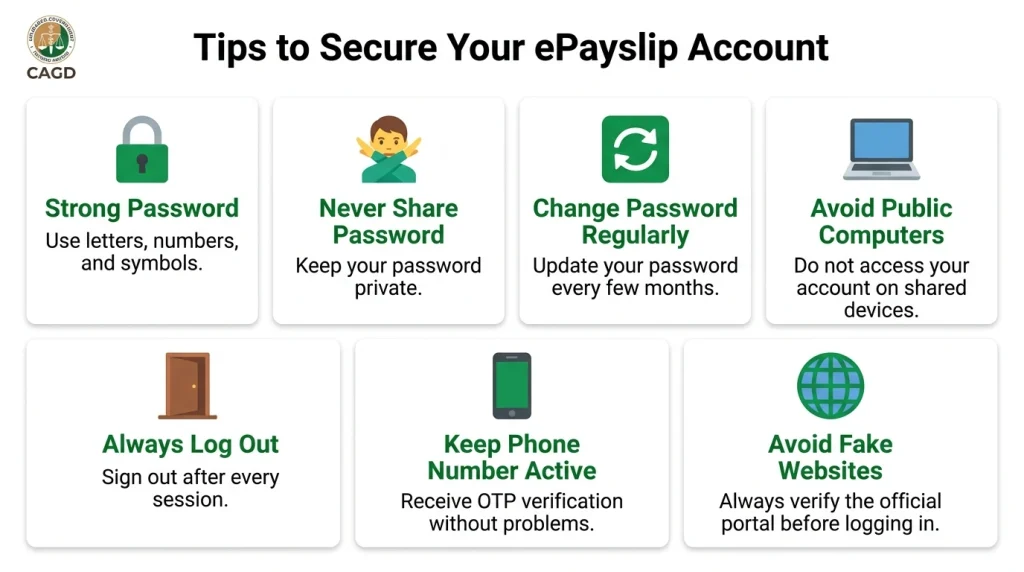
Tips to Secure Your ePayslip Account
Your GoG ePay Services account contains important salary and payroll information. It is important to keep your account safe from hackers and unauthorized access. Follow these security tips carefully.
Use a Strong Password
Always create a strong password with letters, numbers, and symbols. Avoid weak passwords that are easy to guess.
Never Share Your Password
Do not share your password with:
Your password should remain private.
Change Password Regularly
Changing your password often improves account security. Try to update your password every few months.
Avoid Public Computers
Public computers are risky because other people may see your information. Avoid logging into your ePayslip account on public computers.
Always Log out After Use
If you use a shared computer, always click Logout after checking your account. This prevents unauthorized access.
Keep Your Phone Number Active
Your mobile number is important for OTP verification. Always update your mobile number on portal if you change SIM cards.
Avoid Fake Websites
Many fake websites copy the design of the official Payslip portal. Always confirm you are visiting the correct GoG ePay Services website before entering your details.
Helpdesk of Gogepayservices Portal
If you still cannot reset your password, you can contact the official GoG ePay Services support system. The support team can help you recover your account and use all features of portal safely.
Before contacting support, make sure you have this information ready:
HelpDesk Contact Numbers
You can call the official support numbers below:
Other Places to Get Help
You can also contact:
They can guide you through the account recovery process.
Importance of GoG ePay Services Portal
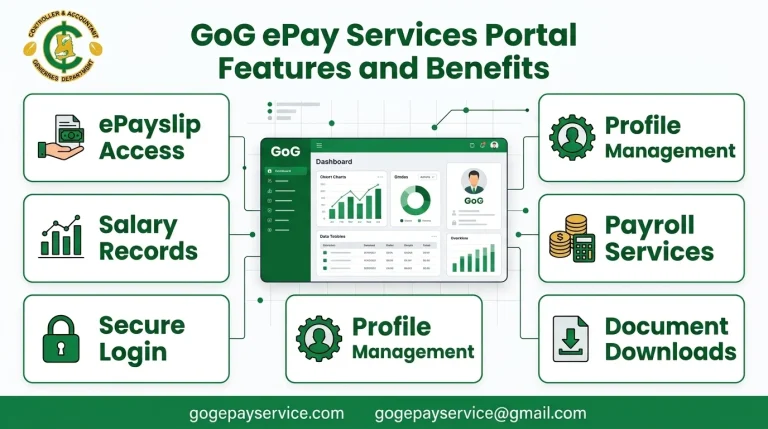
The GoG ePay Services portal helps public sector workers in Ghana manage payroll services online. The system makes salary management easier and faster.
Workers can:
This digital payroll system reduces paperwork and improves convenience for government workers. Many employees now use smartphones to access their ePayslip accounts anytime and anywhere.
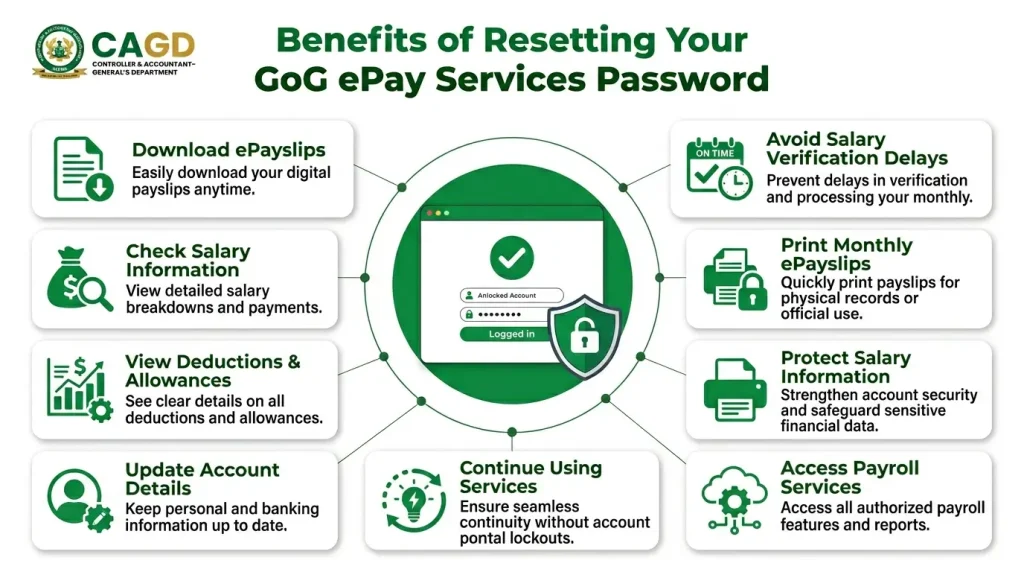
Benefits of Resetting Your Password
Resetting your password helps you access important services on the EPayslip portal again.
After resetting your password, you can:
Ignoring account problems for too long can create difficulties later. Always fix login problems immediately.
Conclusion
Resetting your GoG ePay Services password is simple if you follow the correct steps carefully. The system is designed to help government workers to recover their ePayslip portal account safely and quickly.
You only need your employee number, registered phone number, internet connection, and OTP verification code to complete the Password reset process successfully. If you face any problems during the password reset process, you can contact the official helpdesk or visit your HR office for assistance.