GoG ePay Services 2026 – Register, Login & Check ePayslip on New Payslip Portal

Many government employees of Ghana struggle when they try to check their ePayslip on the GoG ePay Services portal. Problems like login errors, forgotten passwords, OTP verification issues, and confusion about how to download payslips can make the process stressful. This becomes even more difficult when employees urgently need their ePayslip for salary verification or loan applications.

This new payslip portal guide is introduced to solve these problems. It makes gog payslip access easy and secure for government employees in Ghana. This new CAGD payslip system help users to sign in, register, view salary details, download ePayslips, and manage payroll information online. 

Here you will find clear step-by-step guides to use the portal and solve common problems quickly and easily.

What is GoG ePay Services Portal?

The portal is a new ePayslip system created by the CAGD of the Ghana Government. It was launched on 10 FEB 2026. It is the new and updated version of the old GoGPayslip portal, which government employees used before. 
This portal helps employees to:
1. Check monthly ePayslip
2. Download salary slip
3. View salary details
4. Check deductions
5. Access payroll records
6. Manage account information

Who Can Use The CAGD ePay Services Portal?

This portal is designed for employees who work in the Ghana public sector. It allows authorized government workers to access their payslips and payroll information online. 

  • Teachers
  • Nurses
  • Police officers
  • Government workers
  • Other Public sector employees

All workers paid by the Controller and Accountant-General’s Department can use the portal.

who can use gog epay services portal

Why ePayslip is Important for Employees?

An ePayslip is an important document for every government employee. It provides a clear record of your salary, allowances, deductions, net salary and tax calculation and other payroll information.

Employees often need their ePayslip for financial, employment, and official purposes. It can be accessed online whenever needed through the payslip portal.

  • Shows salary details
  • Shows deductions
  • Required for a loan
  • Required for the bank
  • Required for tax
Why ePayslip matters for Ghana government employees

How to Register on the New CAGD ePayslip Portal?

If you are a new user and do not have an account yet, you must complete the registration process before accessing your ePayslip. Follow the steps below to create your GoG ePay Services account.

Requirements for Registration

Before you start, make sure you have these three things ready:
1. Your Staff Number
2. Your Ghana Card

3. Your Mobile Number

Step 1: Go to the Portal

Visit the official gogepayservices.com website using your preferred web browser. Make sure you are accessing the correct portal before entering your information.

Open the gog epay services portal

Step 2: Select “Forgot Password”

First-time users should click the Forgot Password option. On the new portal, this option is used to start the account activation and registration process.

Click on the forgot password button

Step 3: Provide Your Employee Number

Enter your employee or staff number exactly as it appears in official records. After entering the number, continue to the next step.

Enter your employee number

Step 4: Enter Your Ghana Card Number

Type your Ghana Card (NIA) number and submit it for verification. The system will check your details against available records.

Enter your Ghana card number to verify

Step 5: Review Your Personal Information

Once your information is verified, your employee details may appear on the screen. Carefully review the information to ensure everything is correct.

You will be asked to confirm:

  • Employee Number
  • Full Name
  • Ghana Card Number
  • Date of Birth

You should also provide:

  • Mobile Number (required)
  • Email Address (optional)
Check your personal information is correct

Step 6: Verify Your Mobile Number

Confirm that your phone number is correct. After confirmation, request an OTP to continue with the registration process.

Confirm your mobile number

Step 7: Enter the OTP Code

A One-Time Password (OTP) will be sent to your registered mobile number. Enter the code in the verification field and proceed.

If the OTP does not arrive immediately, wait a few minutes before requesting another code.

Eenter the OTP code

Step 8: Create a Password

Create a password for your account. For better security, use a combination of letters, numbers, and special characters.

After creating the password, enter it again to confirm.

 Create a new strong password

Step 9: Choose a Security Question

Select a security question and provide an answer that you can easily remember. This information may be useful if you need to recover your account in the future.

Choose a security question

Step 10: Complete Registration

Review all the information you entered during registration. If everything is correct, submit the form to create your account.

complete registration

Step 11: Log In to Your Account

After successful registration, a confirmation message will appear. Click the “Go to Login” option and use your new credentials to access your account.

Click on the Go to Login button

Watch the official video to learn how to register for the employee self service portal. The video provides a step-by-step guide to help new users complete the registration process successfully.

Source: Official CAGD YouTube Channel.

Registration Successfully Completed

You have successfully created your GoG ePay Services account. You can now sign in to view your ePayslip, download salary records, and manage your payroll information online.

GoG ePay Services Login 

If you have already registered, you can login to the portal without any problem by following these simple steps:

Requirements To Login

You need the following information to login to your payslip portal:
1. Your Staff Number
2. Account Password

Step 1: Visit the official Portal

Go to the official CAGD epayslip website by clicking this link gogepayservices.com.

visit gog epay services portal

Step 2: Enter Your Staff Number

Enter your staff number in the first box. Your staff number is your unique payroll number issued by your department.

Enter Staff Number to access payroll account

Step 3: Enter Your Password

Enter the password that you created during registration. Make sure your password is correct so you can log in easily.

Enter account password on the login page

Step 4: Click Sign In

After entering your ePayslip Login details, click the ‘Sign in’ button to access your gogepayservices account.

Click Sign In button to log in to the portal

Step 5: EPayslip Portal Dashboard

After you log in, you will go to your dashboard. There, you can: 

Employee dashboard after successful login

How to Check GoG ePay Services Payslip?

Follow these easy steps to check your ePayslip on the portal.

Step 1: Sign In to Portal

Sign in to the official portal using your staff number and password. Make sure you enter the correct details to access your account. 

Sign In to the payslip portal

Step 2: Click “My Payslip”

After login, go to your dashboard and click on “My Payslip” for the next step. 

Click my payslip button on the portal

Step 3: Select Your Salary Month 

Choose the month and year for which you want to check your payslip.

Select Your Salary Month on the portal

Step 4: Select Your Salary Year

Choose the salary year for which you want to check your payslip.

Select your salary year

Step 5: Click “Generate Payslip”

Now click the “Generate Payslip” button to view your GoG epayslip.

Click generate payslip button

Step 6: Check CAGD ePayslip

Your payslip will appear on the screen, where you can check all your salary details easily. 

Check your epayslip

Step 7: Download Payslip

Click on the download button to save your payslip on your device. 

Click on the Download button

Step 8: Print Your GoG ePayslip

Click on the “Print” button to print your payslip. 

Click on the Print button

If you prefer a visual walkthrough, the official CAGD video below shows the entire payslip download process from start to finish.

Source: Official CAGD YouTube Channel.

Reset Login Password of GoG ePay Services Portal

If you forget your password or you want to reset your password for security reasons. Follow these steps to reset your portal’s sign in password:

Step 1: Go to Your Payslip Portal

Open the CAGD ePayslip portal by visiting gogepayservices.com website. You will be on the “Sign in” page. 

Go to your payslip portal

Step 2: Click Forgot Password

Click on the “Forgot Password” option to start resetting your password. 

Click forgot password button

Step 3: Enter Employee Number

Enter your employee number in the box. Make sure to enter the correct employee number before you continue. 

Enter employee number

Step 4: Security Question

When you registered on the GoG ePay Services portal, you saved a Security question and answer. Now enter the answer to your security question.

Answer your security question

Step 5: Enter Your Mobile Number

Type your registered mobile number in the box and make sure it is the same number you used when you registered on the portal. 

Enter your mobile number to verify

Step 6: Enter OTP Code

You will get an OTP code on your registered phone number, and you need to enter this 4 digit OTP to confirm your identity. Click the “Verify Code” button to continue the process.

Enter OTP code

Step 7: Create New Password

Set a new strong password by mixing upper case letters (ABC), lower case letters (abc), numbers (123), and special characters (@&#$). Choose a password that you can remember easily but others cannot guess your password. 

Enter the same password again in the “Confirm Password” box. 

Now, click on the “Reset Password” button to complete the process.

Create new password for portal

Step 8: Continue to Login

Your password has been changed successfully, and now you have to click on the “Continue to Login” button to use the payslip portal.

Click on the continue to login button

Old GoGPayslip
vs New GoG ePay Services

The Government of Ghana Completely Shifted the Payroll system by updating the GoGPayslip portal to a new portal to increase transparency and security. 

GoGPayslip Portal

  • Basic login system
  • Less security
  • No Ghana Card verification
  • Less account protection
  • Slower and older system

GoG ePay Services Portal

  • Ghana Card verification
  • OTP security
  • Better system
  • Faster access
  • Improved security

Comparison Table

If you want to understand the major difference between old and new payslip systems, this comparison table of portal features will help you.

Feature

Old GoGPayslip Portal

New GoG ePay Services Portal

Login System

Basic login system

Improved login system

Ghana Card Verification

Not available

Available

OTP Security

Not available

Available

Security Level

Less security

Improved security

User Experience

Basic features

Better system

Access Speed

Standard access

Faster access

Account Protection

Limited protection

Enhanced account protection

Identity Verification

Basic verification

Ghana Card verification required

Benefits of New ePayslip Portal

The New portal offers several advantages for Ghana government employees.

Easy Access

Employees can access their ePayslips anytime and from anywhere with an internet connection. The portal is available online 24/7, making it easy to check salary information whenever needed.

Time Saving

The portal removes the need to travel to HR offices for payslip related services. Employees can complete most tasks online in just a few minutes, saving both time and effort.

Secure System

User accounts are protected through OTP verification and identity checks. These security measures keep payroll information safe and prevent unauthorized access.

Fast Access

The new portal is designed to provide quicker access to payslips and payroll services. Employees can log in, view records, and download documents without long delays.

Paperless System

All payslips are stored digitally and can be downloaded whenever required. This reduces the need for printed documents and helps employees keep their records organized online.

benefits of gogepayservices portal

Features of New CAGD Payslip Portal

The new employee self service portal offers many new features for employees

Employee Self Service

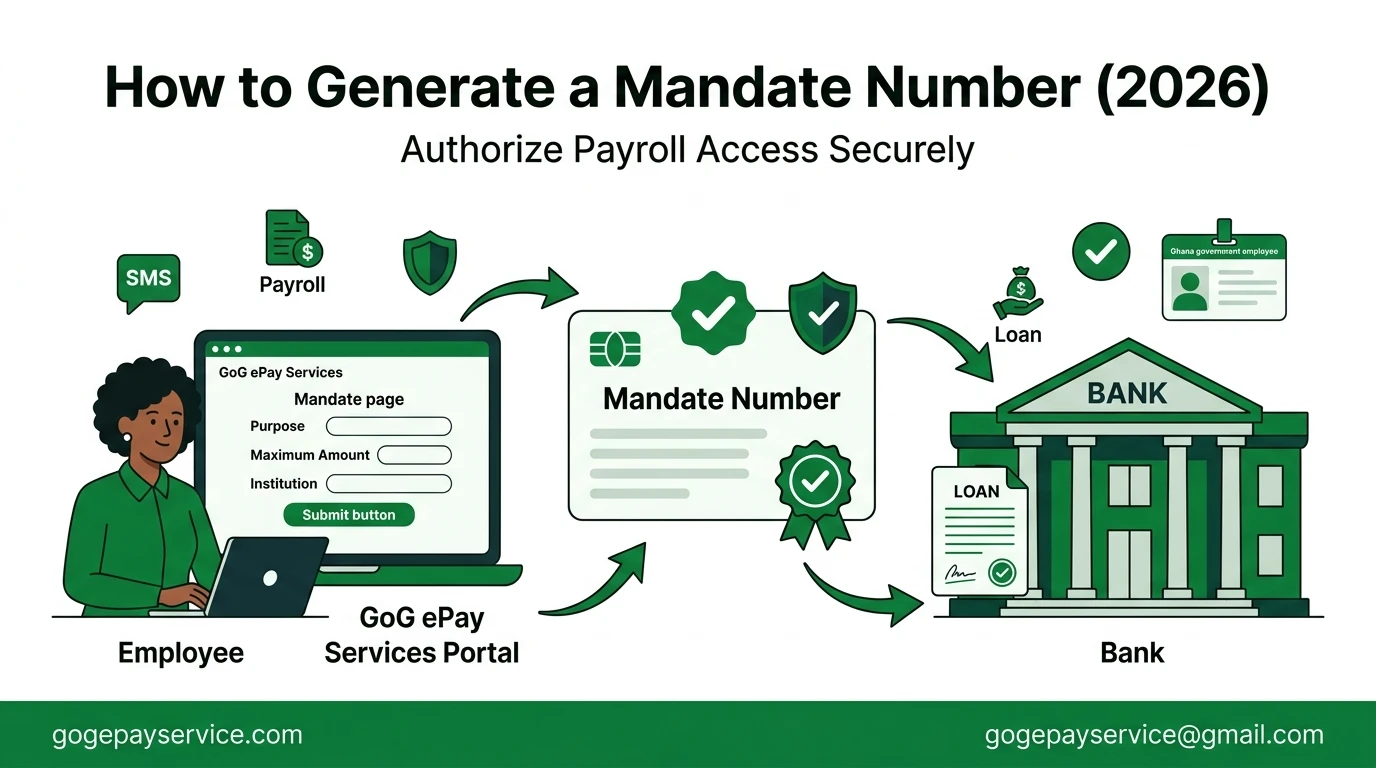
The new portal provides payroll related self service functions for Government of Ghana employees. Users can download their salary slips, manage employment records, and generate Mandate Numbers for salary loan applications.

Secure ePayslip Account

Your ePayslip account is protected with OTP, which helps keep your information safe in the new system. 

Easy Access

Now you are not asked to visit the HR office to collect your salary slip. You can open the portal anytime and check your employment and salary details without any problem. 

Check ePayslip

You can easily check your GoGPayslip every month from your home at any time. 

Download Payslip

You can download your ePayslip and keep it saved on your device to use anytime.

View Salary Details

You can see your full salary details, including allowances and deductions. 

Features of gog epay services portal

GoG ePay Services Problems & Fixes

Many employees face different types of problems while using the portal every month.

Here are some common problems and their fixes.

Problem 1: OTP Not Received

Many Government employees say that their OTP code is not received on their registered phone numbers.

How to solve:

  • Check that your phone number matches the registered phone number.
  • Check your network signal
  • Restart your phone
  • Wait for a few minutes
  • Try again after a few minutes
  • Contact the support team.

Problem 2: Unable to Sign in

If you want to check your payslip are unable to sign in to your GoG ePay Services portal.

Solution:

  • Verify your staff number
  • Verify your password
  • Reset password
  • Contact the support team.

Problem 3: Registration Failed

If you fail to register your account on the ePayslip Portal follow these steps. This is normal and can be fixed without any stress. 

Solution:

  • Check you are entering the correct details
  • Check the Ghana Card number
  • Check employee number
  • Enter correct details
  • Contact the support team
gogepayservices portal problems and solution

Is GoG ePay Services Portal Safe?

Yes, the portal is designed with security measures to protect employee accounts and payroll information. Users must complete verification steps before accessing their payslip details. The portal uses:

OTP verification

A one-time password (OTP) is sent to your registered mobile number. You must enter this code to verify your identity and access your account.

Ghana Card verification

Identity verification helps protect your account. It confirms that you are the rightful account owner. This prevents unauthorized access to your payslip information.

Secure system

The portal uses security features to protect your information. These measures help keep payroll records safe. They also reduce the risk of unauthorized access.

Security Tip

Never share your password or OTP with anyone. Always use the official portal when logging in. This helps keep your account safe and secure.

Tips for New CAGD Payslip Portal Users

Following a few simple practices will help you access your account smoothly and keep your payroll information secure. These tips will also help you avoid common login and verification problems.
Follow these tips:

  • Do not share the password
  • Keep your mobile number active
  • Use correct details
  • Check the payslip regularly
Tips for gog epay services users

Help Center of GoG ePay Services Portal

If you are unable to access your account or need help with password recovery, you can contact the official GoG ePay Services support team. They will assist you with login problems, account verification, password resets, and other account-related issues.

Before contacting support, keep the following information ready:

  • Ghana Card details
  • Employee Number or Staff Number
  • Full name
  • Registered mobile phone number
  • Department information

HelpDesk Contact Numbers

In any problem, call on these official support numbers:

  • 0247452601
  • 0245289771
  • 0552925395
  • 0505660003
  • 0247360841

Other Places to Get Help

You can also contact:

  • Your HR office
  • Salary validation office
  • Payroll department
  • Controller and Accountant-General’s Department (CAGD)

They will guide you in every account related problem.

Conclusion

The GoG ePay Services portal is the new system for Ghana government workers to access their ePayslip online. This portal provides better security, fast access, and easy to use.

Employees can sign up on this portal, login, download ePayslip, and manage their salary information easily. The portal is secure, simple to use, and available at any time. If you follow the steps in this guide, you can use your account without problems and access your ePayslip anytime.

Frequently Asked Questions 

Visit official gogepayservices.com website. Enter your staff number and password, then click on sign in button to login to your account. 

Go to gogepayservices.com. Enter your employee number, Ghana Card number, and phone number, then verify the OTP to complete your registration. 

Log in to the portal, click on “My Payslip”, select month and year, generate payslip and download easily. 

It happens sometime due to network issues and system failure. Check your network and make sure your phone number is correct. Then try again after a few minutes. 

Yes, you can open the portal on your mobile phone and check your payslip anytime. 

Yes, it is totally safe. The portal uses OTP and other security steps to protect your account and personal details.