How to Check Affordability on GoG ePay Services Portal
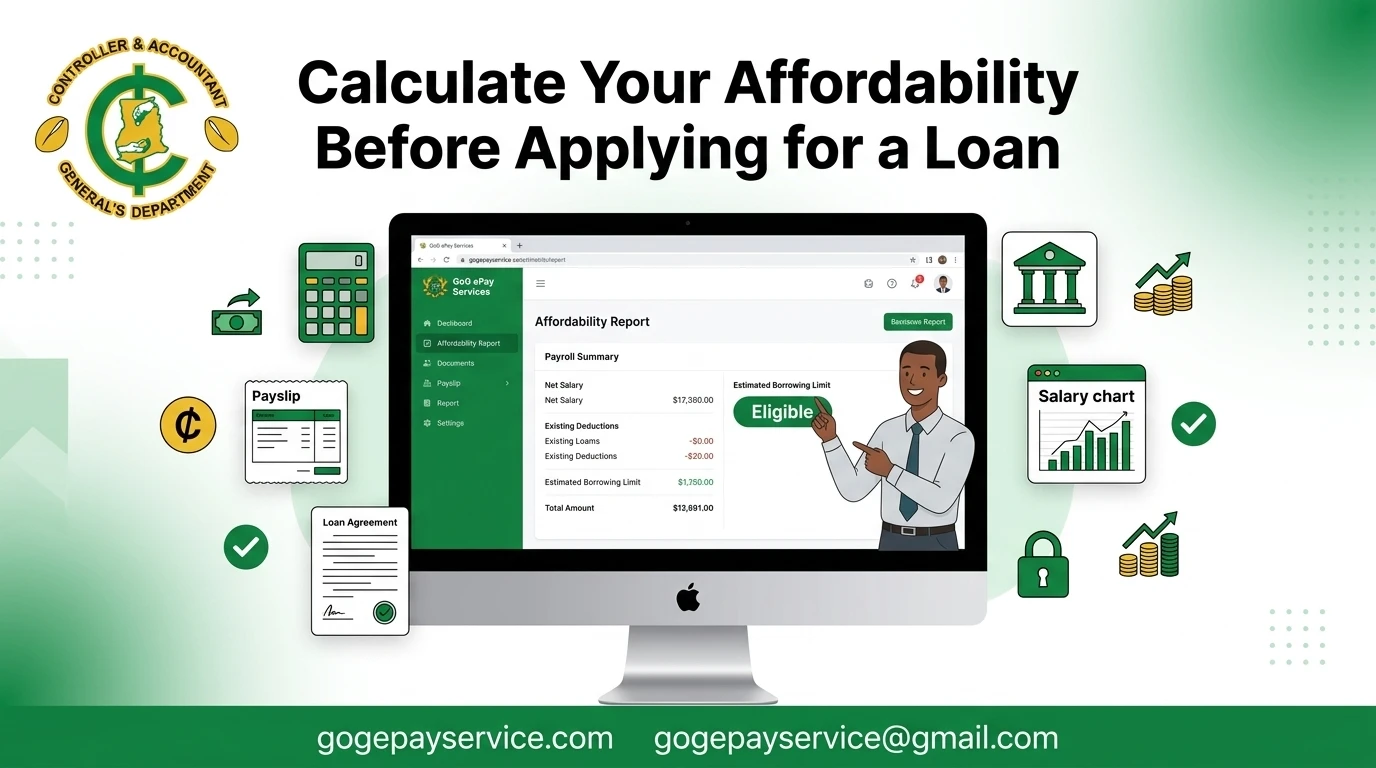
If you’re planning to apply for a salary backed loan, checking your loan affordability on the GoG ePay Services portal is the first thing to do. It shows how much you may be eligible to borrow based on your payroll details and helps you understand your borrowing limit before applying for a loan.
The process is quick and easy. In this guide, you’ll learn how to calculate and check your affordability on the GoG ePay Services portal, what affects your affordability amount, and how to fix common issues if they occur.
What Is Loan Affordability?
Affordability is an estimate of how much you may be able to borrow through a salary-backed loan based on your payroll information. The GoG ePay Services portal calculates this amount using details such as your salary, deductions, and other payroll commitments.
Banks and financial institutions may use your affordability report as part of their loan assessment. Checking it before you apply can help you understand your borrowing limit and avoid submitting applications that may not match your financial situation..
Why Checking Your Affordability Is Important?
Many loan applications are rejected because the amount requested is higher than what the employee can afford based on their payroll records. Although banks and lenders will eventually check your affordability, checking it yourself first can save you time, avoid unnecessary paperwork, and help you apply for a loan that matches your borrowing limit.
Checking your affordability also helps you make better financial decisions. It gives you a clear idea of how much you may be able to borrow without putting too much pressure on your monthly salary. By knowing your affordability in advance, you can choose a suitable loan amount, compare different lenders, and avoid repayment plans that may be difficult to manage.
Requirements to Check Affordability
Before checking your affordability, make sure you have the following:
If you have not created an account yet, you will need to register on the GoG ePay Services portal before you can use the affordability feature. You can link to your registration guide here.
How to Check Affordability on GoG ePay Services
Follow these simple steps to check your loan affordability.
Step 1: Visit the Official Portal
Go to the official website at gogepayservices.com using any web browser on your phone or computer.
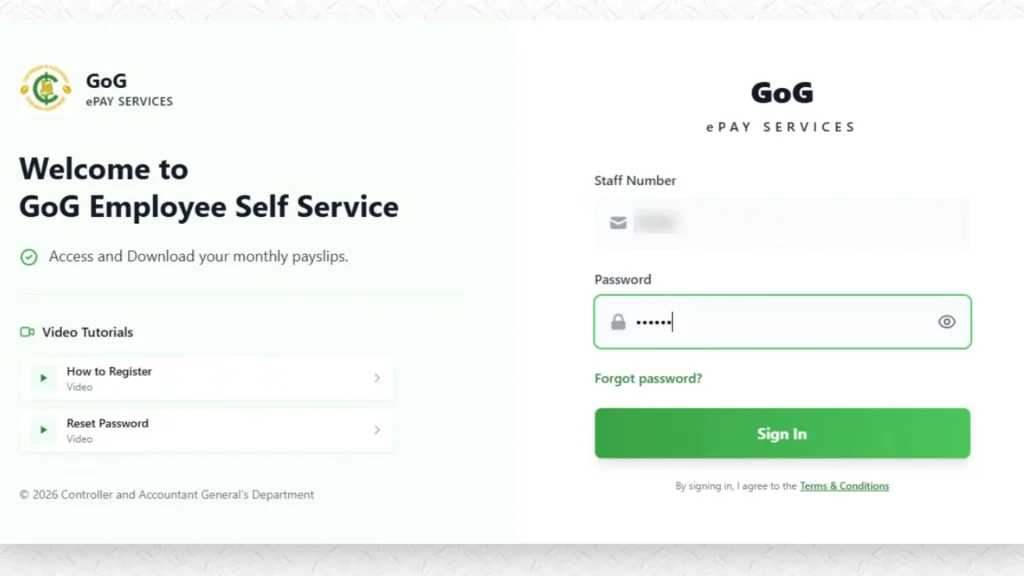
Step 2: Log In to Your Account
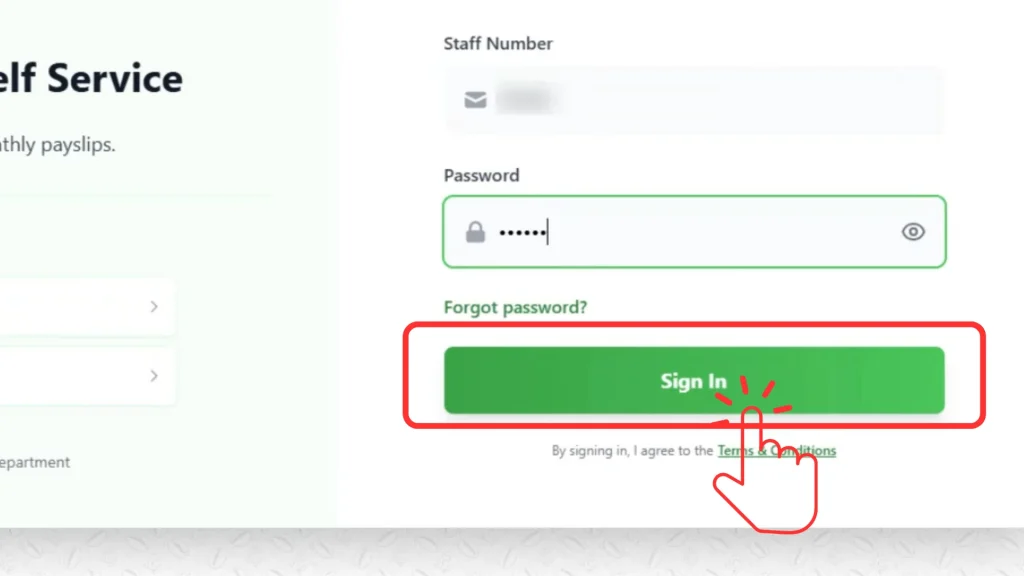
Enter your staff number and password on the sign-in page, then click “Sign In.”
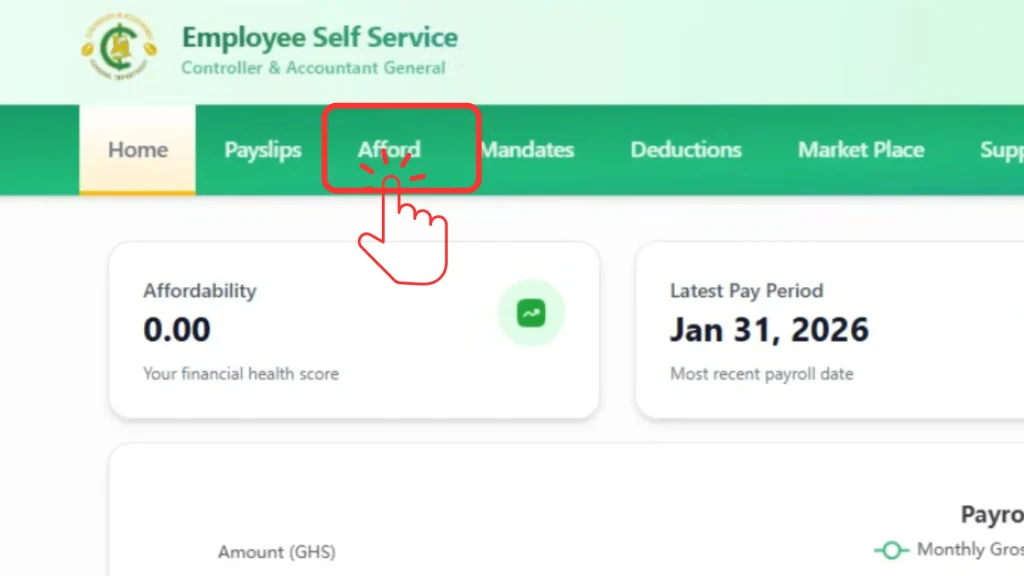
Step 3: Click “Afford” in the Top Menu
Once you’re on your dashboard, look at the top header menu. Click on “Affordability.”
Step 4: View Your Affordability Report
The portal will generate your affordability details automatically, based on your current salary and payroll record. Take a moment to review the figures shown on screen.
Step 5: Download Your Affordability Report
If you want a copy to keep, share with a lender, or reference later, click the download option to save the report to your device.
That’s the entire process. No extra steps, no waiting for approval, no paperwork to submit first.
What to Do With Your Affordability Report
After checking your affordability, use the report to understand how much you may be able to borrow. It gives you a good estimate based on your payroll information and helps you choose a loan amount that matches your financial situation.
You can also compare loan offers from different banks and lenders before applying. If you want to better understand your salary, deductions, and take-home pay, check your Net Salary and Tax Calculator to see your SSNIT deduction, PAYE tax, and net salary in one place before making a borrowing decision.
Benefits of Checking Your Affordability
Checking your affordability before applying for a loan offers several benefits:
How the Portal Calculates Affordability?
The GoG ePay Services portal does not publicly explain the exact formula used to calculate affordability. However, the amount is calculated automatically using your payroll information and other salary-related details.
The portal may consider factors such as:
The affordability amount shown on the portal is only an estimate. The final loan amount and approval depend on the lending institution’s assessment and requirements.
Factors That Affect Your Affordability
Several things can move your affordability figure up or down from one month to the next:
How to Improve Your Affordability?
If your affordability figure is lower than you’d like, a few practical steps can help:
Common Affordability Errors and Fixes
Here are some common affordability issues and how you can fix them:
Affordability shows 0.00
This usually means your current salary deductions or existing loans have reduced your affordability. Check your payslip and deduction details to see what is affecting the amount.
Affordability page is not loading
Log out of your account and sign in your portal again. You can also clear your browser cache or try using a different browser. If the problem continues, wait until the next payroll update or contact CAGD support.
Your affordability amount changes
Your affordability may increase or decrease if your salary, allowances, or payroll deductions change. This is normal and does not always indicate a problem.
The bank shows a different affordability
The amount shown on the GoG ePay Services portal is an estimate based on your payroll records. Banks and other lenders may carry out additional checks before deciding the final loan amount.
Conclusion
Checking your affordability on the GoG ePay Services portal is a simple step that can help you make better financial decisions. It gives you an estimate of how much you may be able to borrow based on your payroll information, allowing you to plan ahead before applying for a salary-backed loan.
By checking your affordability first, you can save time, compare loan options with confidence, and avoid applying for an amount that may not suit your financial situation. If you’re planning to take a loan, reviewing your affordability should always be your first step.